Real-time sample chopping
Place chop markers while working with audio. Create and fine-tune your chops as the idea takes shape.
LIVE CHOP 1.0 / BY CHUCKDEEBEATS
WINDOWS · VST3Chop samples in real time with your MIDI controller or keyboard. Create, trigger, and fine-tune chops without leaving your workflow.
Real-time sample chopping.
Hands-on MIDI control.
An MPC-inspired workflow inside your DAW.
Windows VST3 plugin
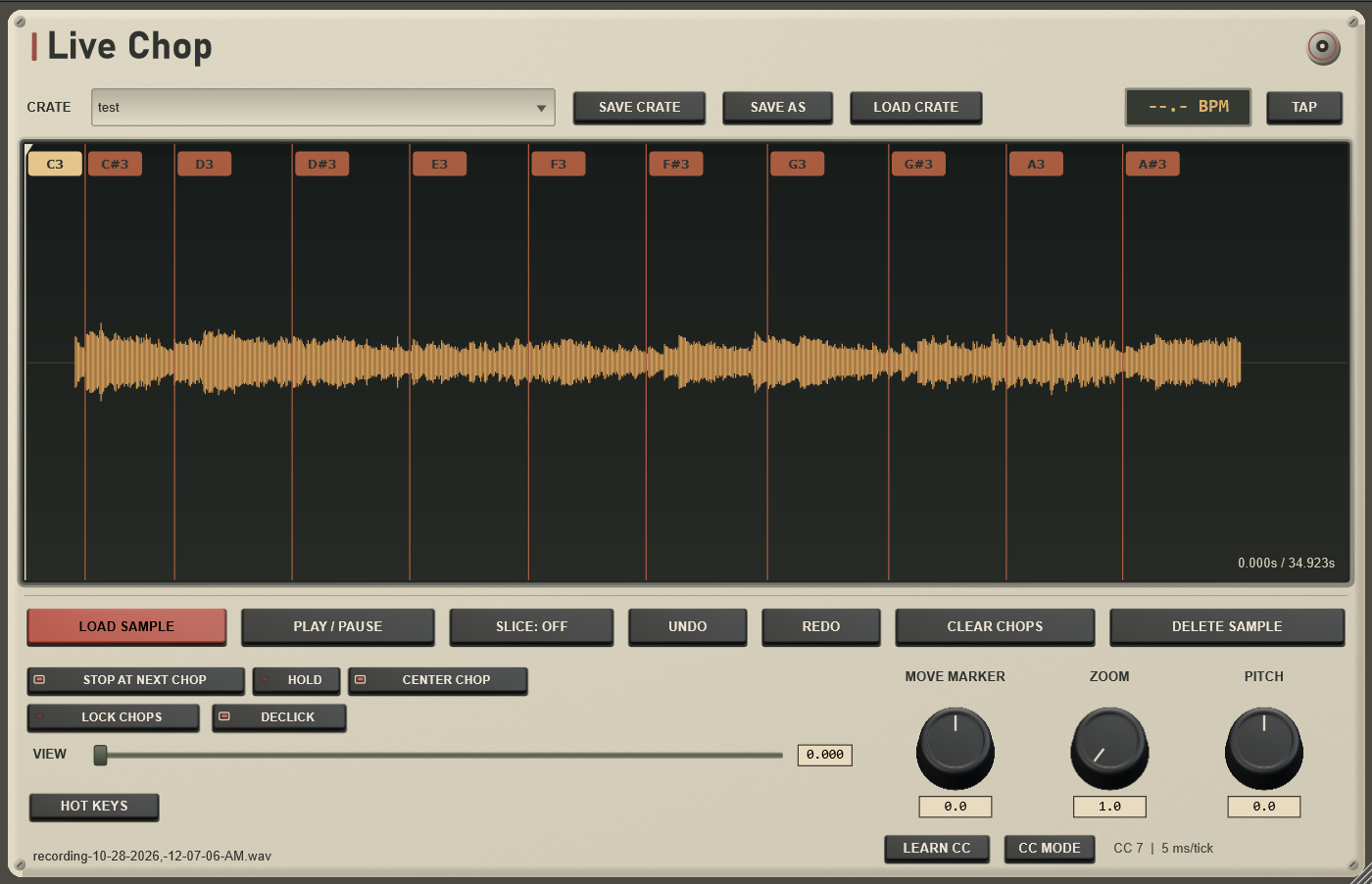
01 / THE DEMONSTRATION
Watch ChuckDeeBeats demonstrate Live Chop in FL Studio, creating chops in real time and fine-tuning markers with a MIDI controller.
Owner-supplied product demonstration · 2 min 3 sec
02 / IN THE FLOW
Place chop markers while working with audio. Create and fine-tune your chops as the idea takes shape.
Use MIDI notes from a compatible keyboard or pad controller to create and trigger chops.
Use MIDI Learn to assign the Move Marker knob to your controller. Fine-tune your chops with precision, without reaching for your mouse.
Load a sample or drop audio into the plugin. The interface includes a saved-crate selector, Save Crate, Save As, and Load Crate controls.
04 / HANDS-ON WORKFLOW
No MIDI controller? No problem. Live Chop's Hot Keys let you chop, trigger, and fine-tune samples using just your computer keyboard and mouse.
View Hot Keys at full size (opens in a new tab)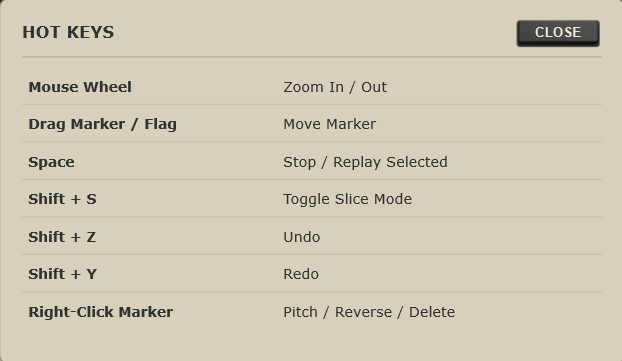
05 / MAKE ROOM FOR LIVE CHOP
Live Chop 1.0 by ChuckDeeBeats.
Introductory pricing for the next chapter of your sound.
Live Chop 1.0 is built for compatible Windows DAWs.
A Mac version of Live Chop is currently in development. Release details will be announced when available.
$19.99 USD
LIVE CHOP 1.0
Checkout disabled. Purchases and downloads are not available here.
06 / A FEW DETAILS
Live Chop 1.0 is designed for Windows DAWs that support VST3 plugins. A macOS version is in development, with availability and compatibility details to be announced. Tested host and system requirements still require final verification.
The price is $19.99 USD as a one-time purchase. Each purchase includes one license key with two activation slots per license, for use on two computers.
Initial activation requires internet access on each computer. After successful activation, Live Chop operates permanently offline, with no periodic verification or time-limited revalidation.
Customer-initiated deactivation requires internet access. Deactivate a computer online to free an activation slot. Free manual activation-reset support is also included.
Email chuckdeebeats@gmail.com for help, including free manual activation resets. You can also find ChuckDeeBeats on Instagram at @chuckdeebeats.
Bug fixes and minor 1.x updates are free. Future major upgrades may be paid.
Refund requests have a 14-day window, subject to applicable laws and Lemon Squeezy policies.
You own the music you create. Redistribution, sharing, or resale of the plugin is prohibited.